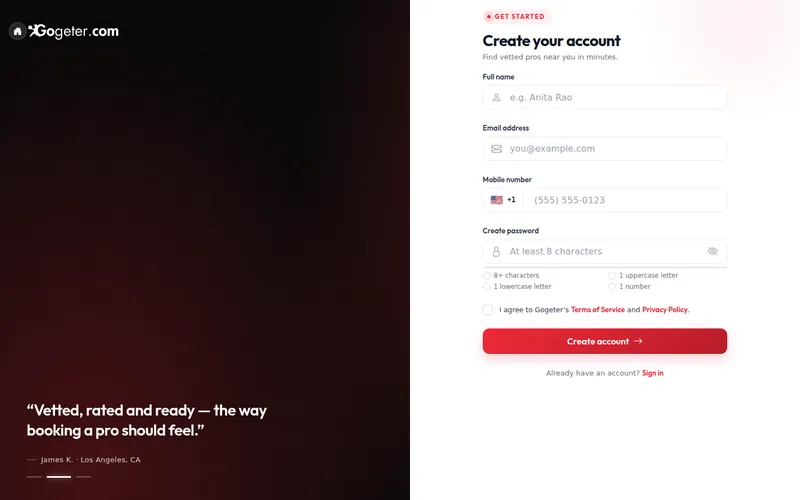
Click List a Service, then fill in Create your account. It is free and takes about a minute.
On this screen
- 1Your name, email & mobile
- 2Create account
What to fill in
- Full name
- Email address
- Mobile number
- Password: 8+ characters, 1 capital, 1 number
Use an email address you can open right now. We send you a code in the next step.
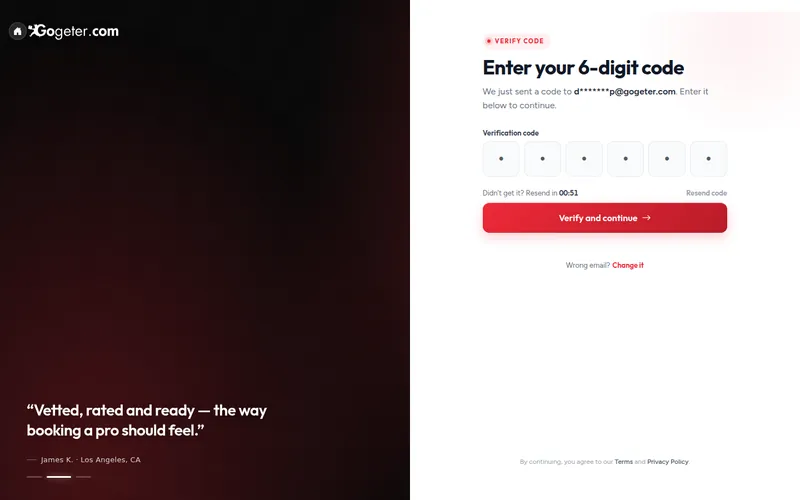
We send you a 6-digit code. Type it into the boxes and click Verify and continue.
On this screen
- 1Type the 6-digit code
- 2Verify and continue
What to fill in
- Check email or texts
- Type the 6-digit code
- Verify and continue
No code? Check your spam or junk folder, wait a minute, then click Resend code.
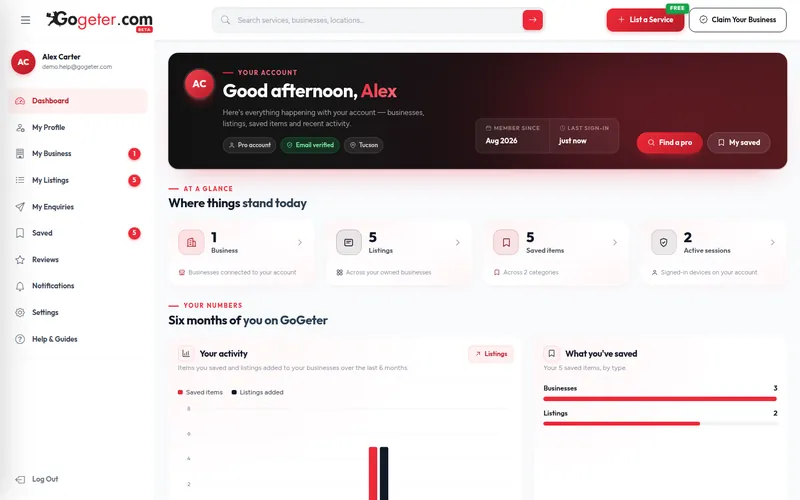
You land on your dashboard. Everything for your business lives in the menu on the left: My Business, My Listings and My Enquiries.
On this screen
- 1My Business
- 2My Listings
What to fill in
- My Business: your profile
- My Listings: your services
- Help & Guides: any time
A business comes first, then the listings that sit under it.
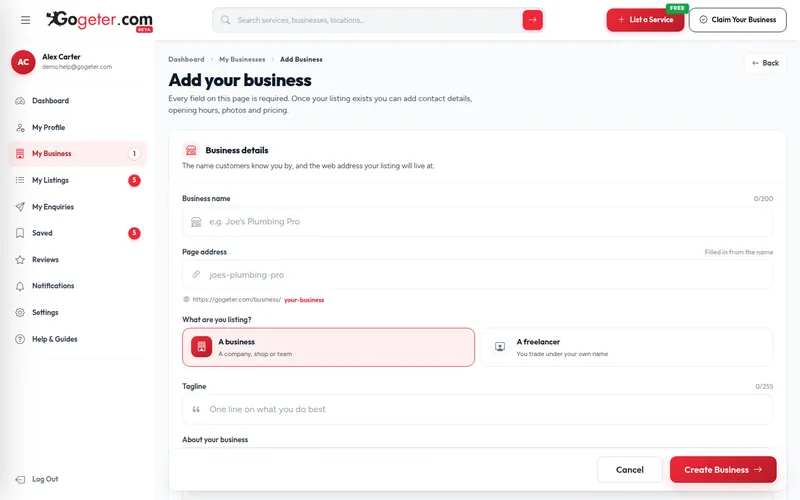
Click My Business, then Add New Business. Fill in the form and click Create Business.
On this screen
- 1Business name
- 2Business or freelancer
- 3Create Business
What to fill in
- Business name customers know
- Page address (fills itself in)
- A business or A freelancer
- Tagline and About
- Website address
Use your real trading name. "Best Plumber Cheap Fast" reads as spam and gets rejected.
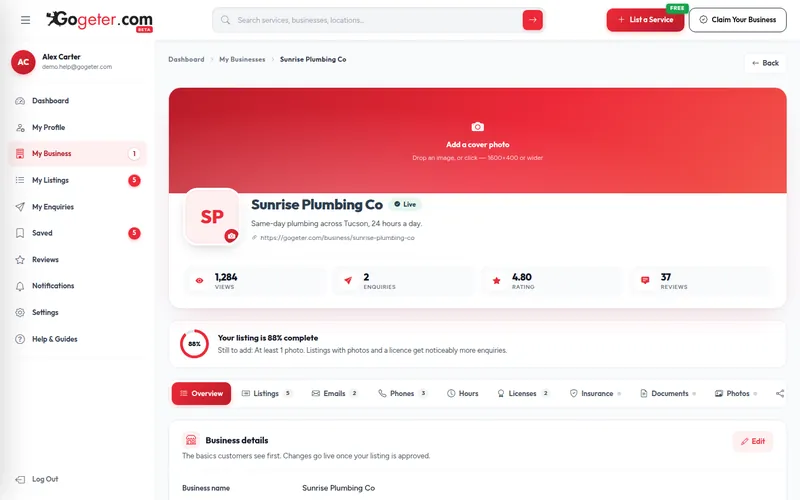
Your business starts as a Draft. Use the tabs to add phones and emails, opening hours, licences, insurance, documents and photos. The meter tells you exactly what is left.
On this screen
- 1What is left to do
- 2Hours
- 3Licences
- 4Photos
What to fill in
- Phones & emails
- Opening hours
- Licences & insurance
- Logo, cover & photos
Upload your licences and insurance. They help our team verify your business.
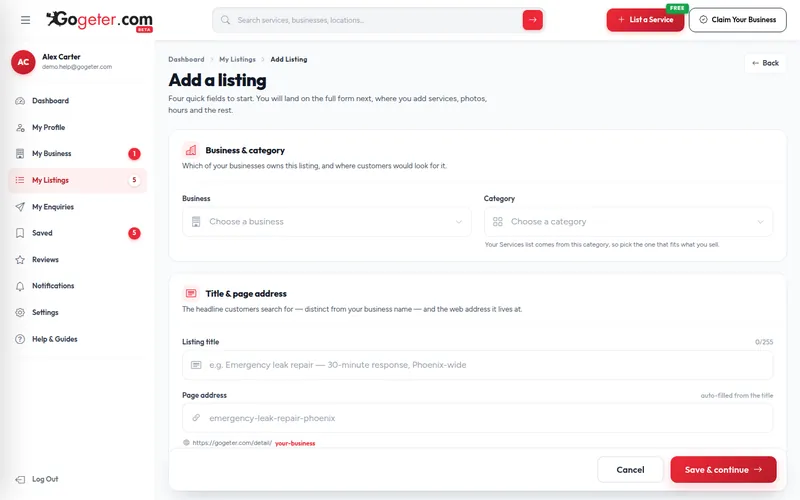
A listing is one thing you offer, and customers search for listings. Click My Listings, then Add listing, fill in four quick fields and click Save & continue.
On this screen
- 1Pick your business
- 2Pick a category
- 3Write a clear title
- 4Save & continue
What to fill in
- Business (pre-chosen if one)
- Closest category
- Title: what you do + where
- Page address (auto)
Good: "Emergency plumber in Tucson, 24 hours". Weak: "BEST PLUMBER CALL NOW!!!"
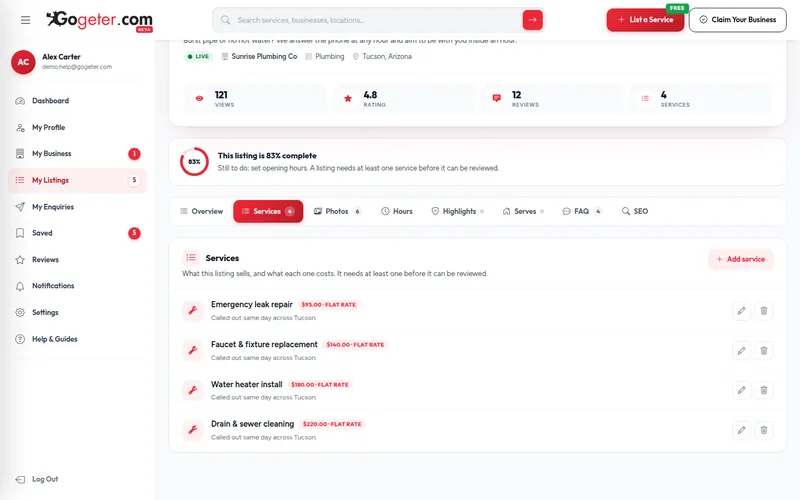
Open the Services tab and click Add service for each job you do, with a price or a price range. A listing needs at least one service before it can be reviewed.
On this screen
- 1Add service
- 2Price per service
What to fill in
- One line per service
- A price or a price range
- What is included
"From $60 an hour" wins more work than no price at all, and stops the calls you do not want.
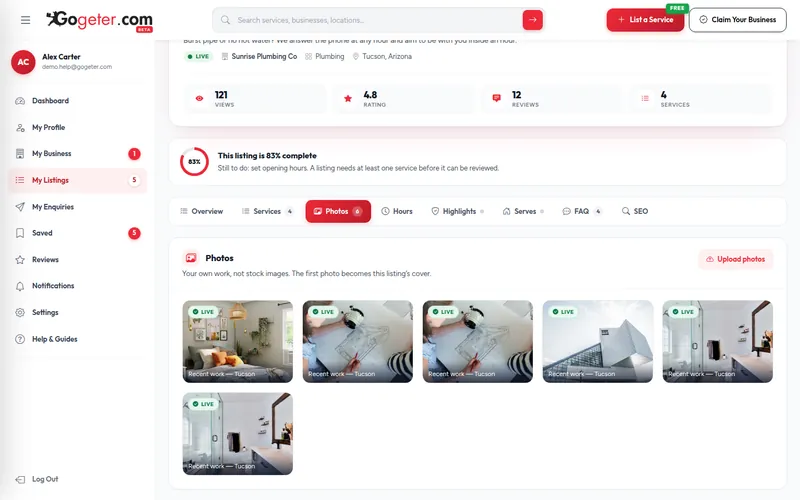
Click Upload photos to add pictures of your work. The first one becomes the cover. Then fill in the Hours, Highlights, Serves, FAQ and SEO tabs.
On this screen
- 1Upload photos
- 2Hours
- 3FAQ
- 4SEO
What to fill in
- Photos of real jobs
- Opening hours
- Areas you serve
- Common questions (FAQ)
Real photos beat stock pictures every time. Customers can tell.
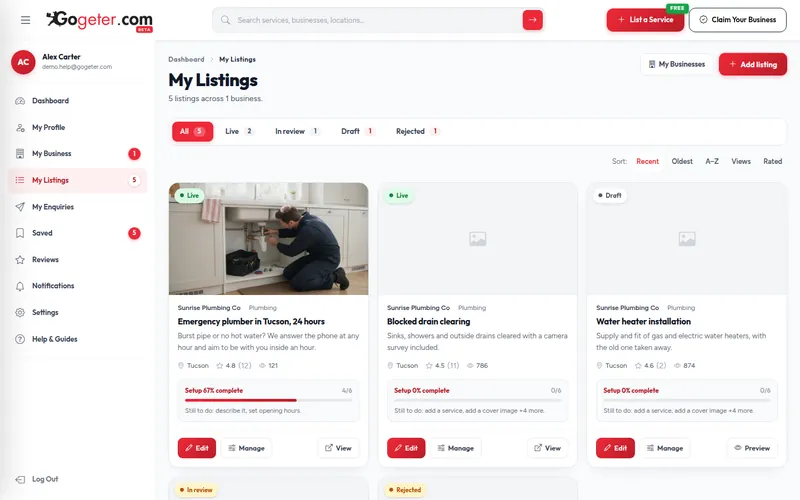
When your listing is complete it goes to the GoGeter team for review. My Listings shows where each one stands: Draft, In review, Live or Rejected.
On this screen
- 1In review
- 2Live
- 3Add listing
What to fill in
- Draft: not sent yet
- In review: about a day
- Live: customers can find it
- Rejected: fix the reason, resend
In review? There is nothing to do. You do not need to send it twice.
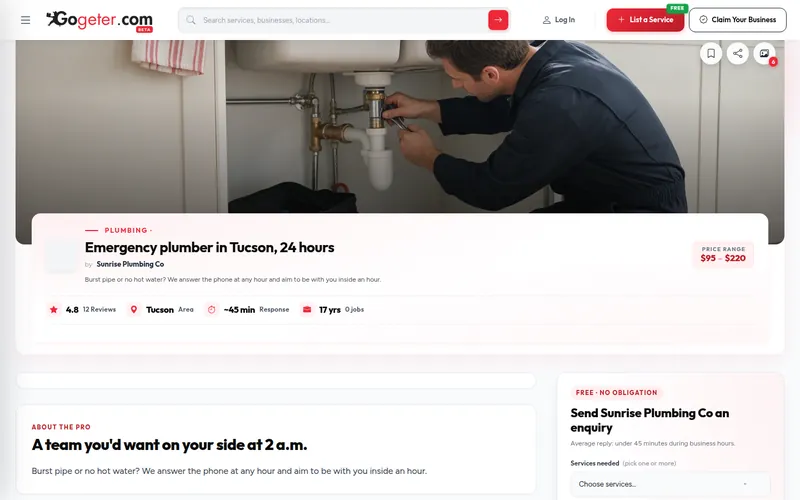
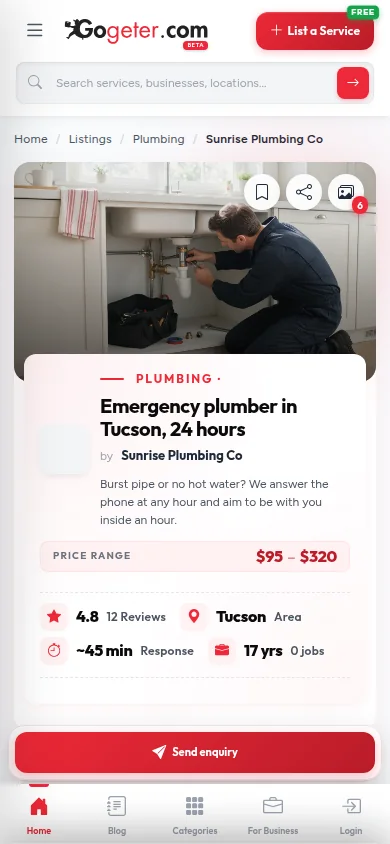
Once approved, your listing appears in search, category and city pages, on desktop and on mobile, with your photos, prices and an enquiry form.
On this screen
- 1Your listing
- 2Rating, area & response time
What to fill in
- Shown in search results
- On category & city pages
- Free enquiry form
- Send enquiry button on mobile
Search for your own listing by name to see exactly what customers see.
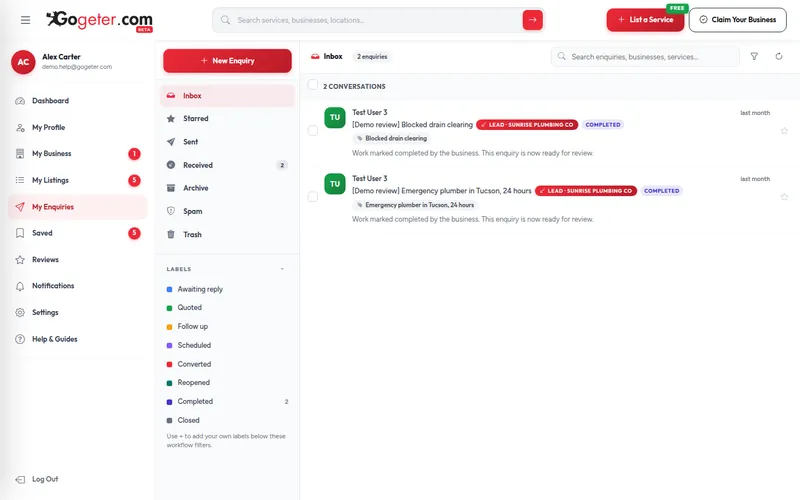
Customer enquiries land in My Enquiries. Reply, send a quote or arrange a visit, all from your dashboard.
On this screen
- 1Inbox
- 2Customer enquiries
What to fill in
- Inbox, Starred, Archive
- Reply, quote or book a visit
- Mark done to get a review
Fast replies win jobs. Keep notifications on so you never miss one.